
Running Primer – Part 3
Recap
In Part 1 of the series, I covered why I started running and tasked you with deciding what type of runner you’d like to be. In Part 2 of the series, I went over different distances that competitive runners typically choose from.
In this Part 3 of the series, I will discuss how to go about establishing a training plan and tracking your progress.
Time to Plan
When I began running, I didn’t have a plan. I just started moving my feet faster than a walk. I did that until I got tired at which point I would walk. When I felt like I could run again, I did so. This continued until I reached my destination (typically home, coming from work). For many people this casual style of running will work just fine, but I quickly found myself disinterested in the running part. I knew I really needed to commit to running. Setting goals helps me focus and gives me a target. I decided I needed my running to count toward something, I just didn’t a clear picture of a goal for running.
What’s My Goal?
Before trying to develop a training plan, something step by step that I could just follow, I had to first decide what I wanted to accomplish. There was basically two parts to this task:
- What is the end result?
- How long will training take to get to the end result?
I decided that the end result of my goal was to run in a 5k race. That fit with my distance goals and gave me a date to work toward. I could have decided to simply meet my desired distance without participating in a planned event, but for me having an event and telling people about that event gave me a level of accountability I wouldn’t get with just doing it without some end fanfare.
There are two ways I could have gone about answering the second question. I could have looked for a race somewhere in the future and then planned my training to meet that date. The other option would be to decide on a length of training time that would be typical for my activity level, time availability and running experience and then choose a run in the neighborhood of the end of that training.
Not having understood there were options, I ended up just falling into the second option. I ended up with a 12 week 5k training plan and then chose a race that corresponded to the end of that 12 week period.
Tools for Planning
I had no clue just how many ways there are to develop a training plan for running. I didn’t know how to even begin beyond searching for a running coach. If I were to do this all over again for the first time, here is what I would do:
- Go to google.com
- Type in “How to build a beginners 5k training plan for running” (replace 5k with your desired distance)
That’s it. What you will find is a LOT of ways to go about this. You will probably first see an AI generated plan. You may also see a sample plan. You’ll have links to training websites where you can pay for coaching or take advantage of free and subscription services those sites offer. You’ll get links to wellness websites and blogs, links to videos and social media links geared toward running.
If you are willing to fork over cash money for someone to figure it out for you, look for training sites/running coaches like:
- McMillan Running – created by running coach Greg McMillan
- Jeff Galloway Running – created by coach Jeff Galloway, creator of the Run/Walk/Run method
There are websites that allow you to generate your own training plan and track your workouts, these include:
There are apps available on Google Play and the Apple Store that you can use to setup a training plan (note: I have not used any of them and cannot vouch for them)
Fortunately I stumbled onto a feature of my fitness watch (Garmin Venu 3) that offered training plans. In preparation for my 5k race, I chose a plan designed by coach Jeff Galloway. For my 10k run, I decided to try a different coach and chose coach Greg McMillan. The top brand fitness watches have some form of training plan builder available. The one I am currently using to push for a sub-30 minute 5k is from the Coros watch manufacturer.
Regardless of which resource you utilize, you’ll need to be prepared to answer some simple questions to help you (or those resources) build a custom training plan:
- Current level of fitness – Are you a couch potato, a gym bro or somewhere in between.
- Running Experience – Beginner, Intermediate or Advanced
- Time Availability – How many days a week can you train and how much time can you set aside for running each of those days.
- Long Run Day – Which day of the week can you perform a long run. Meaning which day do you have the most time to dedicate to running.
- Distance Goal – What is the distance you want to achieve.
- Time Goal – Do you you have a time goal for your distance or do you just want to complete a run at that distance regardless of run time.
When I discovered my watch (using the associated phone app) had a training plan builder, I answered these questions. I entered Somewhat active for the fitness level question. Beginner for the running experience. 3 days per week availability with Friday being my long run day. My distance goal was 5k and I didn’t have a particular finish time goal.
Fortunately, once the training plan was generated it was loaded into my watch and I simply needed to follow what it told me to do each day. The coaching websites I listed above and many of the other resources you find in your Google search will integrate with some of the sports watch brands (e.g. Garmin/Coros/Fitbit)
Tracking your training progress
It is important to track your progress, if for no other reason than having a record of your training that you can refer back to. As with developing a training plan, there are countless ways to track your progress.
This was another area of my running journey that was very confusing for me. I had some specific questions that I really could not answer, but in time I was able to figure out how to get those questions answered. Some of the questions I had were:
- Is my training getting me closer to my goal and am I on track?
- How do I fare in comparison with others?
- Am I running correctly?
- How is my running form?
If you decide to purchase time from an actual coach, not only will they give you a customized training plan but that will come with a way to track your progress and get real-time feedback and adjustments to the training plan based on how you are tracking.
If you choose a subscription type of service from one of the resources I listed above, they will also have some way of tracking your progress. Though personalized options for real-time adjustments may not be available.
If you use a fitness device and corresponding app/website (e.g. Garmin/Coros/Fitbit), those devices will track your progress and in some cases will automatically adjust your plan to fit your progress and keep you on track for your goal.
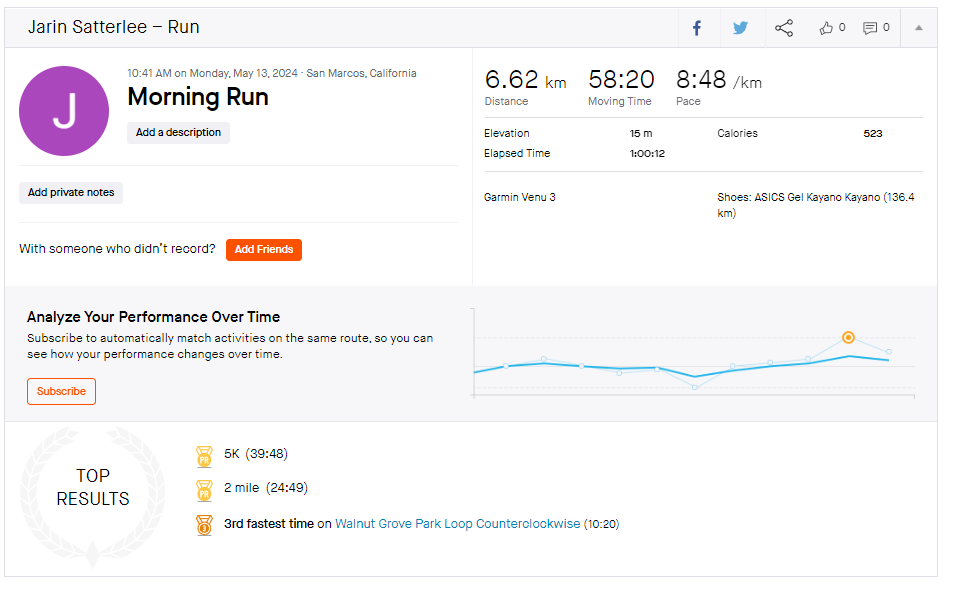
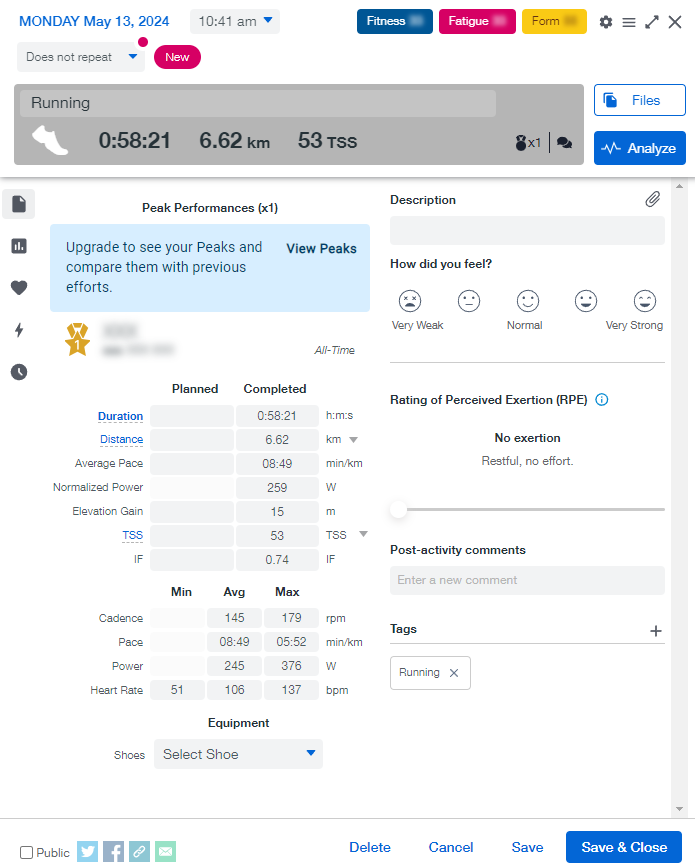
You can automatically sync, manually import or enter data into websites like Strava or TrainingPeaks (with limited functions for free). This will allow for tracking and review of workout sessions.
If you had a pet dinosaurs as kids you’ll probably use a quill & parchment to record your training session. Or pen/paper. Computer Spreadsheet. Digital journal like a blog. Or even a simple whiteboard.
Regardless of your method, some of the things you are interested in will include:
- How do your sessions feel – Keeping track of the effort level will help you determine if running becoming easier.
- Pace/Cadence – Is your speed increasing?
- Training Zones – How much time are you spending in various heart rate zones.
- Fitness Levels – Is your V02 max level increasing or decreasing?
Don’t worry about the terminology I used above. I have a section coming up in this series that will discuss running related terms like pace/cadence/training zones/v02 max.
The amount of analysis that can be done on your run data is incredible. As a new runner, I wouldn’t worry about how deep you are diving into that world. Just keep track of the basics for now. If you are someone like me whose interest peaks when presented with data, you’ll work your way into that world in time.
The best advise I can give someone just started out on their journey in a training plan. Just follow your plan. Work the steps and you’ll hit your goal. As you get further into your running journey you can start dabbling in all the extra information that may overwhelm you at first.
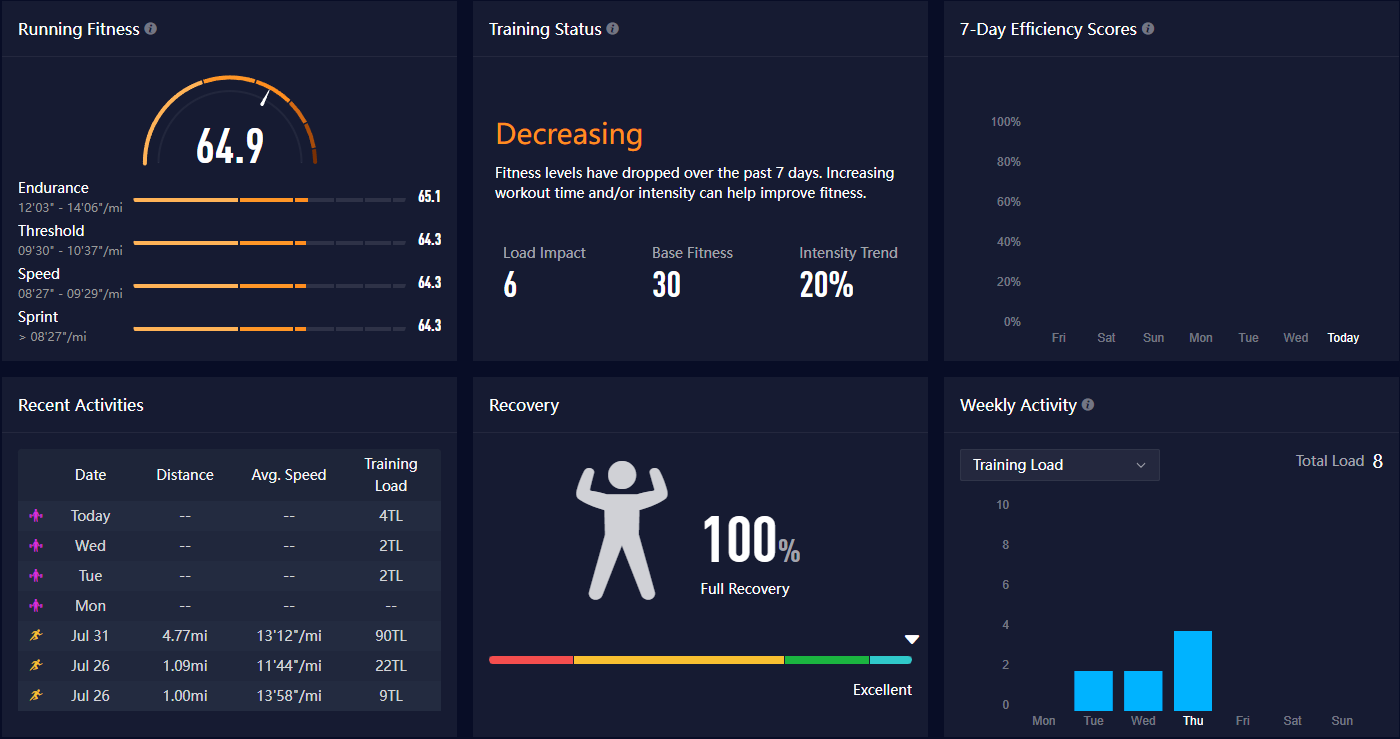
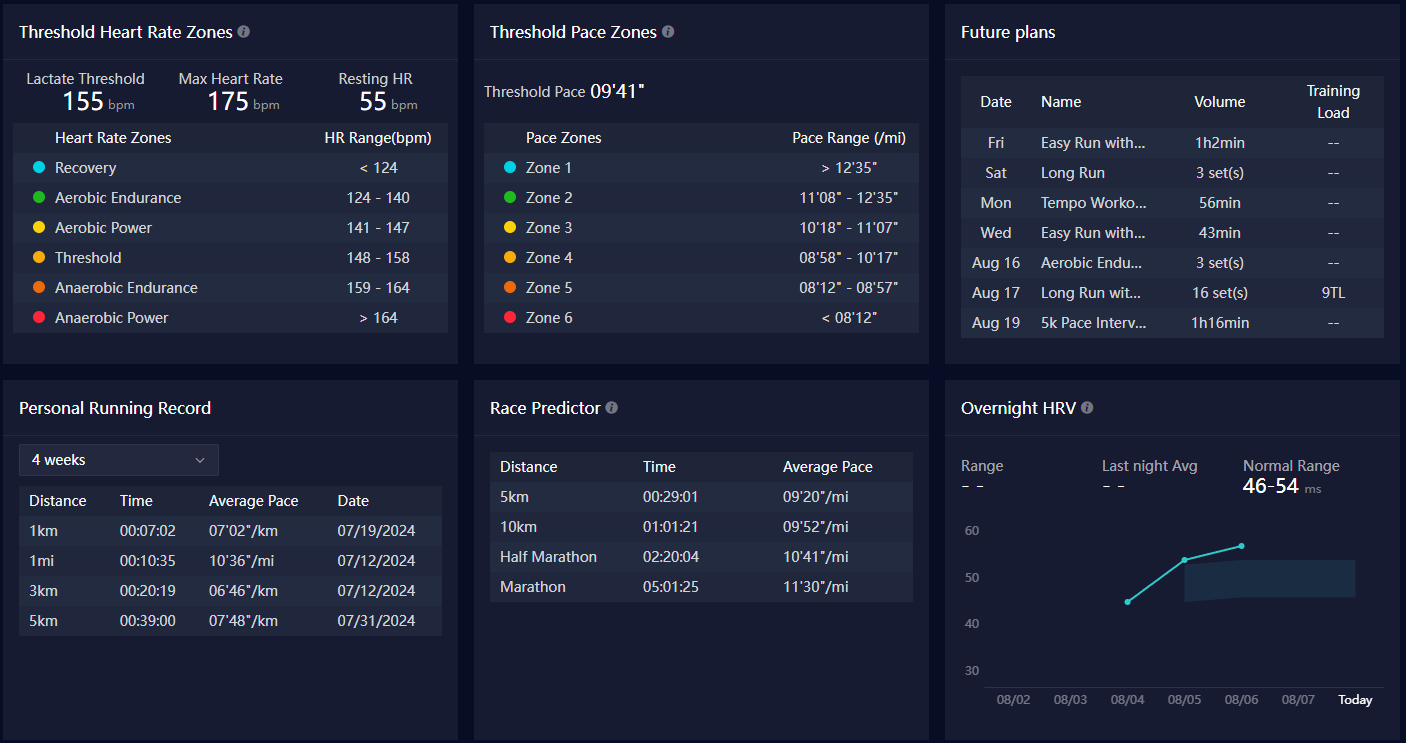
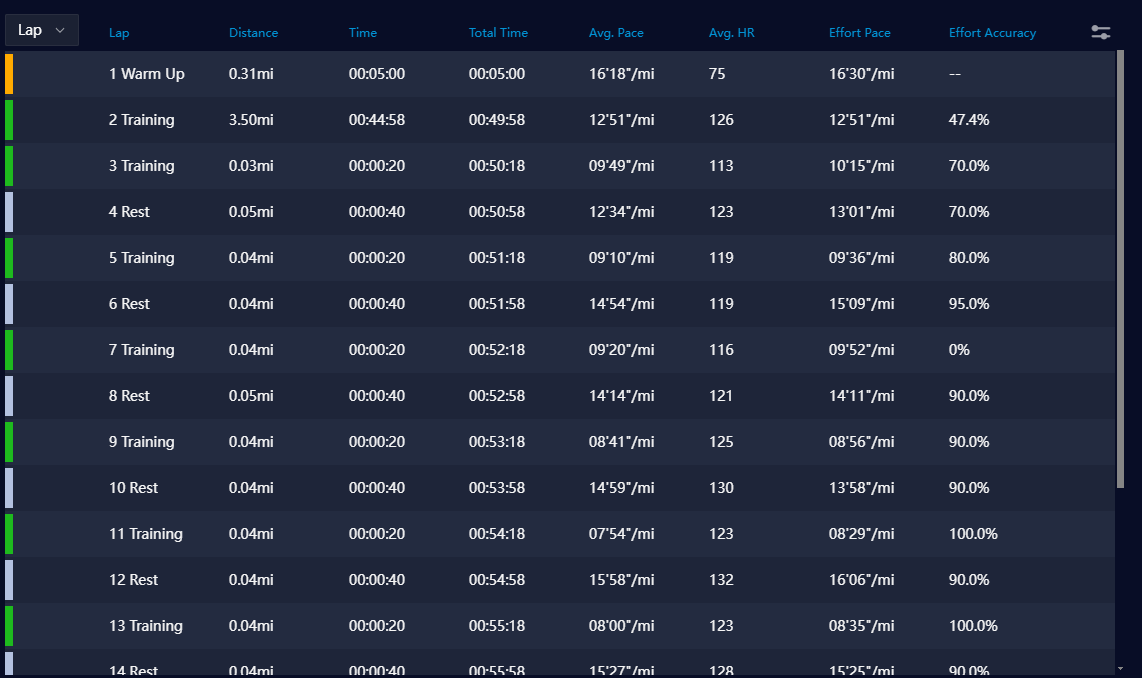
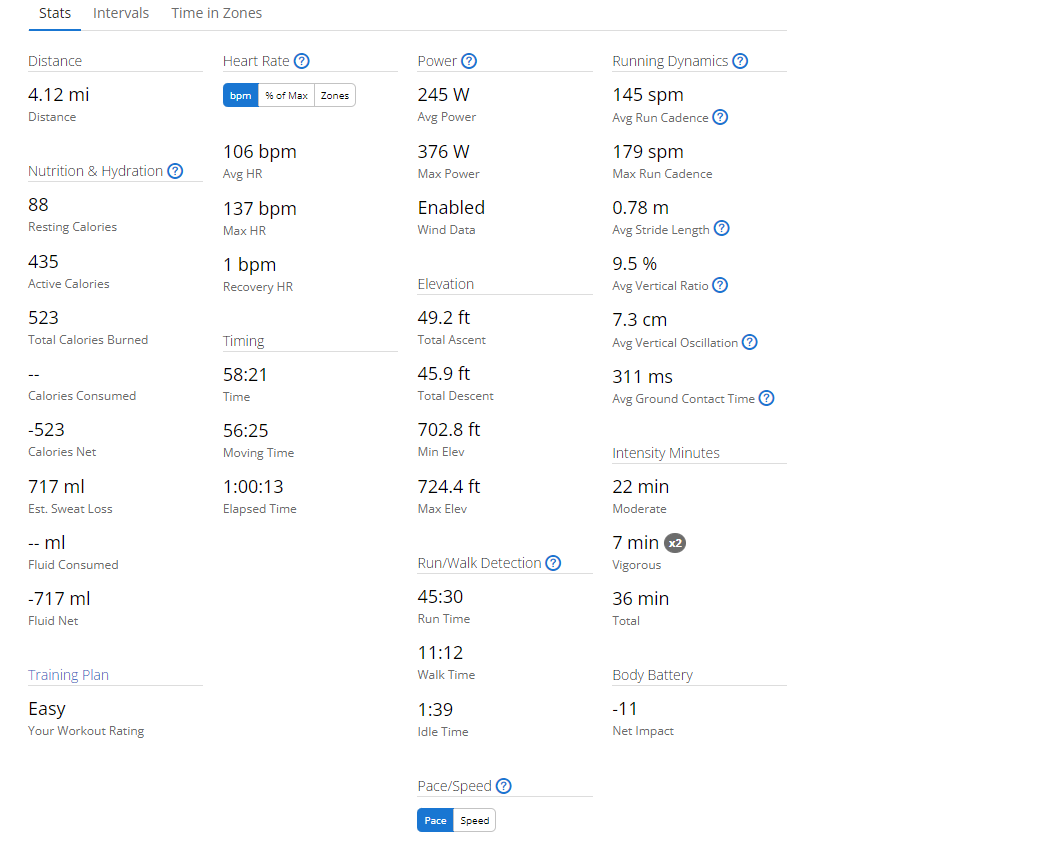
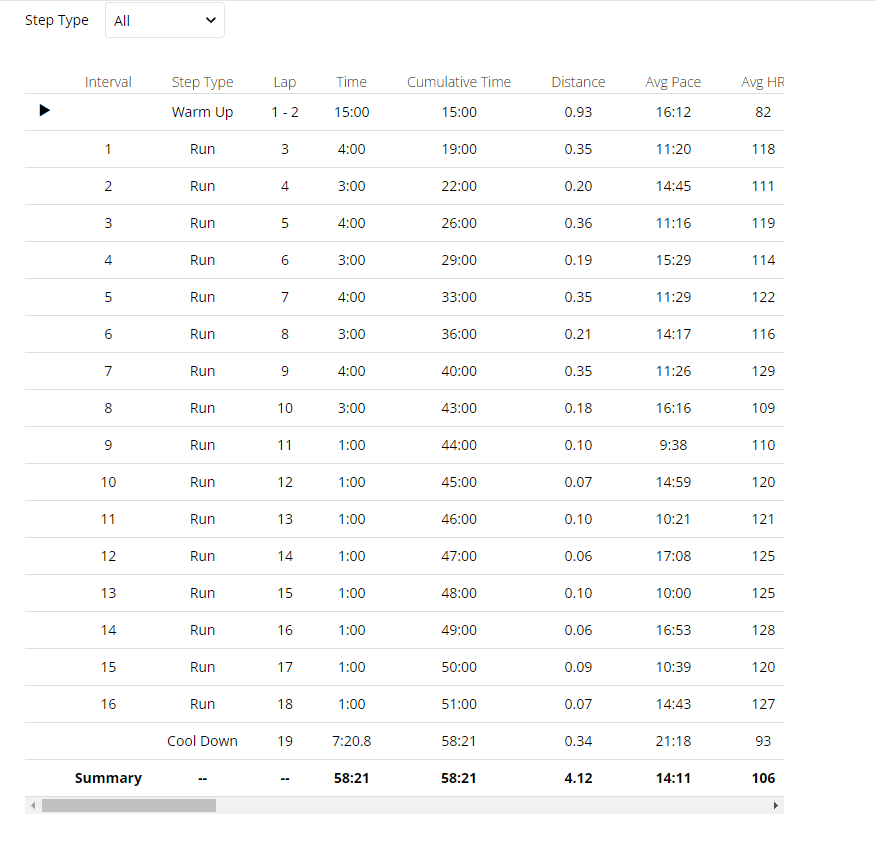
Here are some examples of training session data from my runs on July 31, 2024 and May 13, 2024 on different platforms. Note that this is not the entirety of the data for each of these sites. There would simply be way too many screenshots to include all the data. This is just to give you an idea of what kind of data is captured and how it can be viewed. Also note, the July run was recorded on my Coros Pace 3 watch and the May run was recorded on my Garmin Venu 3 watch.
From Coros:
From Garmin:
From Strava:
From TrainingPeaks:
Coming in the next part…
In the next part of this series I will be going over terms you may encounter in training plans or when talking with other runners. I was confused by quite a few of these terms when I first encountered them, especially since they can be used interchangeably. Hopefully I will be able to present them in a clear way that will be beneficial.